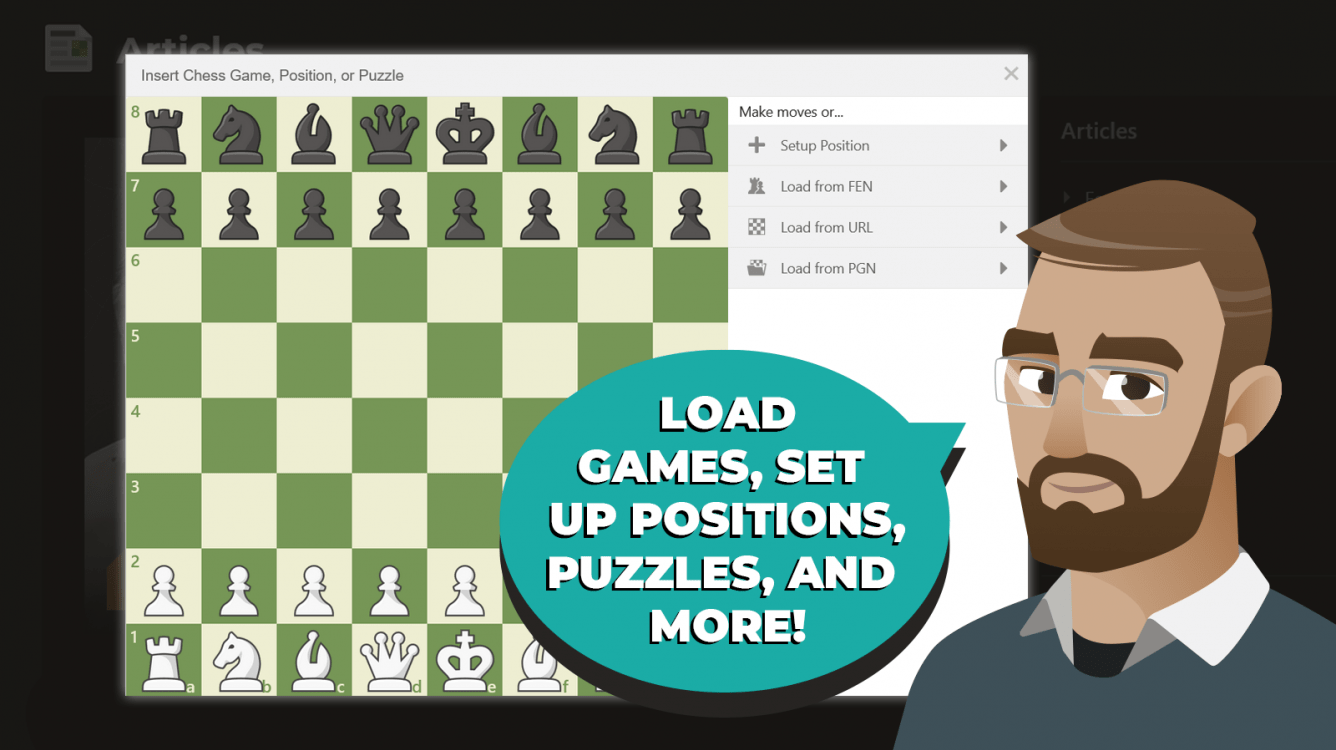
How to use the Chess.com Diagram Editor


Chess.com has amazing tools so you, our members, can contribute to the site in meaningful ways. One of these tools is the Diagram Editor, a feature that will let you easily insert chess diagrams to almost anything on Chess.com—articles, your blogs, comments, forum posts, etc.
Here's what you need to know about Chess.com's diagrams:
Types Of Diagrams
There are three types of diagrams on Chess.com, each with a different function. Below you can learn more about each of them.
Common diagrams
These are plain diagrams that show a specific position and can include details and comments.
Game or moves
These diagrams include a replayable series of moves. They can be used to show an entire game (including comments, complete move list, and game details), or just parts of a game.
Puzzles
These diagrams let you insert a playable puzzle into your page! They let other members try and find the right move or sequence of moves in a position. Members can also see the solution or hint move if the puzzle is too difficult for them.
How To Create A Diagram
Now that you know the types of diagrams you can create on Chess.com, it's time to learn how to create them. To start creating your diagram, access the editor by clicking on the button that looks like a chessboard  on the toolbar above the text box when you're creating your post.
You can choose six different starting methods. As a hint, try using the most detailed starting information possible to save yourself time recreating the game or position.
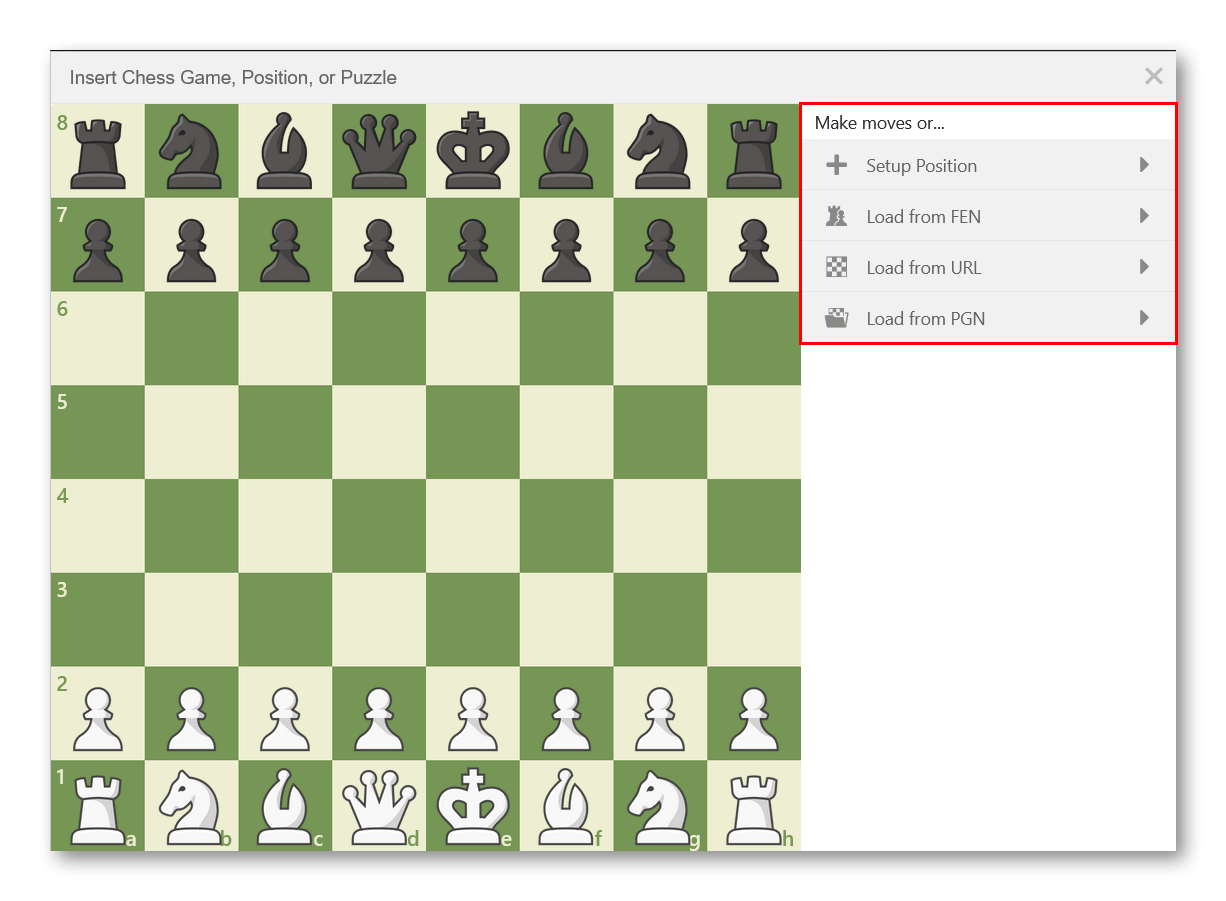
Here are more details on each starting method:
- Blank: a new blank chessboard with no moves made. You'll get this option automatically once you click the diagram editor icon. Start making moves and they'll be recorded on your diagram.
- Setup position: you can use this option to set up a specific position by dragging and dropping pieces to the board.
- Load from FEN: you can quickly load any position by uploading its corresponding FEN string.
- Load from URL: load any Chess.com Game Review page using its shareable URL.
- Load from PGN: you can upload one or multiple games by copying and pasting their PGNs into the diagram editor.
Once you have started to create a chess position (or game or puzzle) you will see a set of tabs at the top right. Those allow you to customize your chess position.
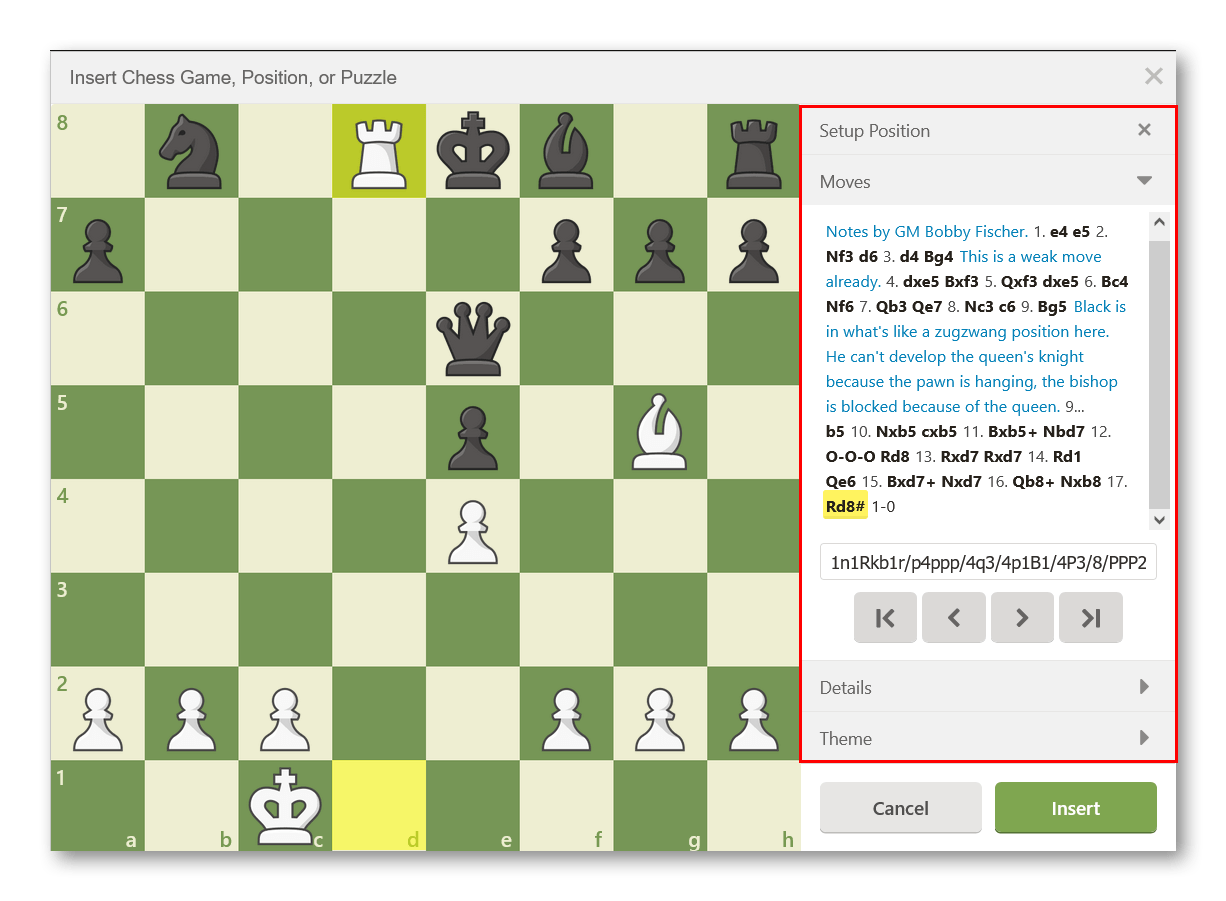
Setup Position: In this tab, you can move pieces freely and create whatever setup you want by dragging pieces on and off of the board.
Moves: This tab works as a PGN editor with added functionality. It allows you to view, edit, add, and change the moves and comments in a game. Below are some of the core options you have in this tab:
- Comment Before: adds a comment before the selected move
- Comment After: adds a comment after the selected move
- Delete Move: deletes the selected move
- Clear All Analysis: deletes all move annotations and comments
- Set Begin: mark the position in the game where you want the game to start
- Set Focus: mark the position in the game where you want the game to first be shown when loaded
- Set End: mark the position in the game where you want the game to end
- Promote: make a selected variation tree the primary variation
- Delete Entire Variation: delete the entire selected variation
- Delete Rest - remove all further moves in that variation tree
Details: The game details include information about the players and the event. Often times this will be pre-filled if you use an existing PGN file.
Theme: These settings allow you to decide how you want the pieces to look, what colors the board should be, flip the board, and if coordinates should be shown. This is also where you can select the "Puzzle" option to turn the diagram into a playable puzzle.
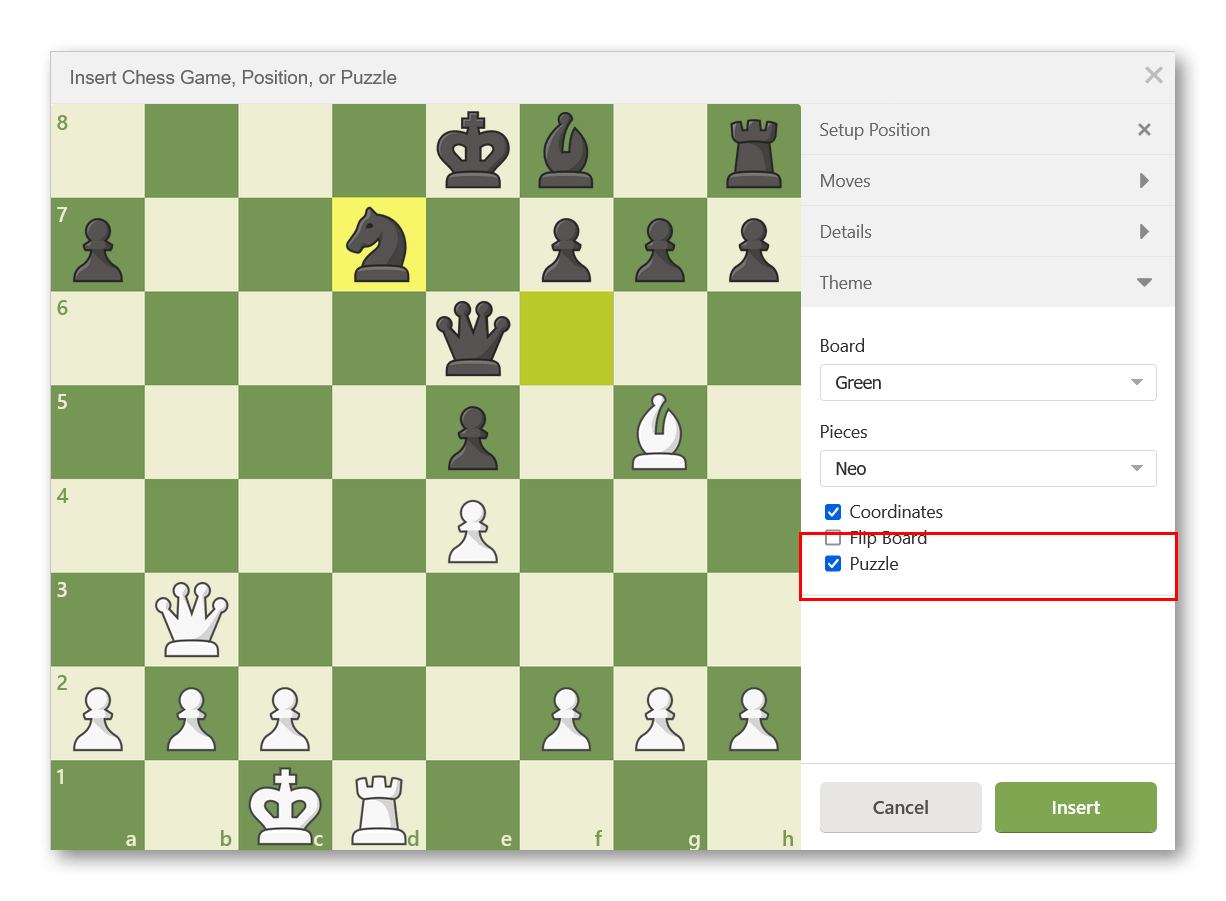
You can move back and forth between tabs to improve your diagram or game. Once you are satisfied, click the Insert button to embed the chess position in your post. If you want to edit your position, just select the diagram and then click on the chessboard icon  again.
Have fun using the diagram editor to insert games, positions, and puzzles into your forum topics, blog, articles, and more!