

I was having a problem where in the app Game Report, Key Moments, Summary page, the Android app was crashing on me. With the help of support, clearing the app Storage Data fixed my crashing problem.
While communicating with support, I also asked for an explanation for what the Quick Analysis toggle switch in the app Settings menu does. Here is the gist of what I was told .....
"... you asked about the Quick Analysis (toggle) and I shared your message with our developers. They told me that this toggles the Mistakes, Blunders, and Missed Wins in the end game, from that, I would recommend we keep it on. Also, because of your question, our team will make a few improvements to it by adding a tooltip that tells us what it does."
Question: Android App Settings > General > Quick Analysis Toggle Switch
Sort:

Jan 3, 2022
0
#2
Jan 3, 2022
0
#3
In case anyone is interested, I took a couple of screenshots of the Quick Analysis On / Off.
The default setting is on, and I have found that the Mistakes, Blunders, and Missed Wins rarely agree with those that are generated from running the Actual Game Report. (I imagine it is a difference in analysis depth between Quick Analysis and the Game Report).
Quick Analysis ON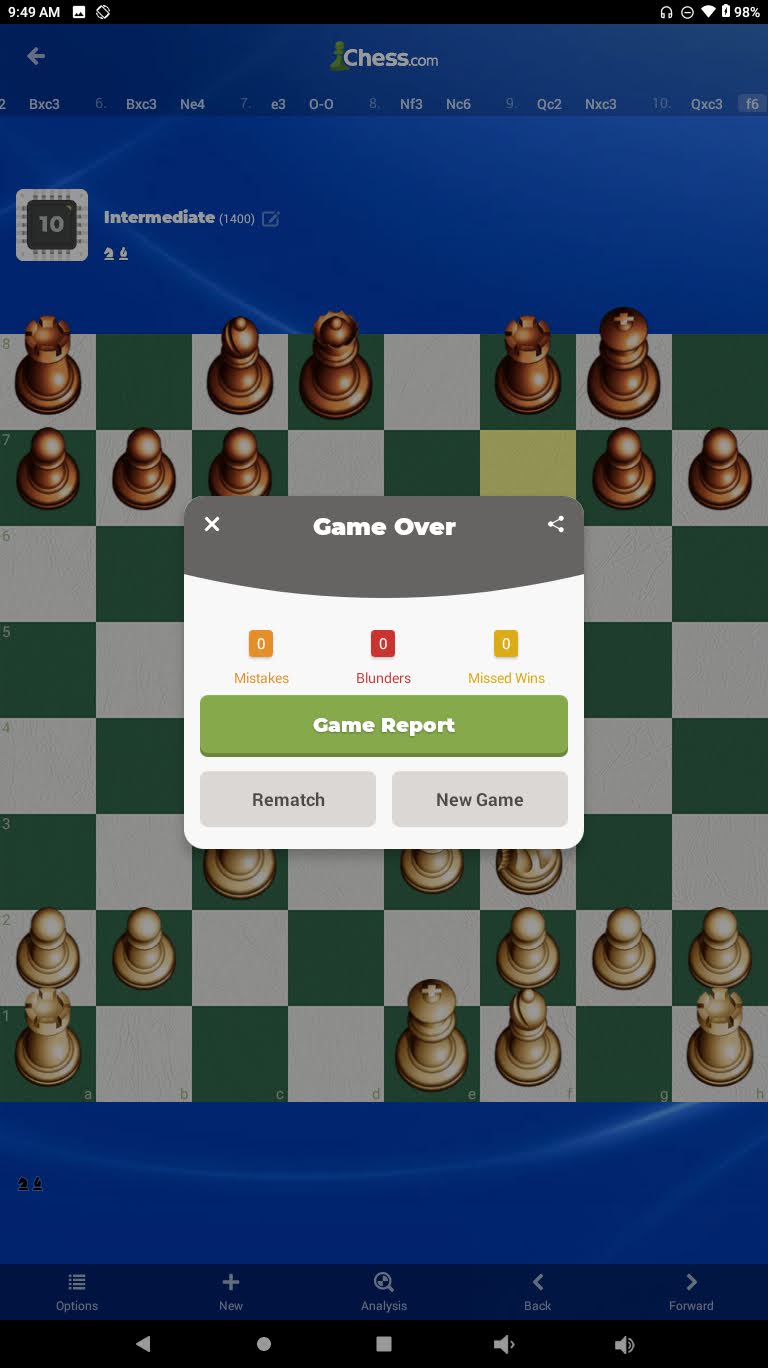
Quick Analysis OFF


In the Android App Settings > General > there is a Quick Analysis Toggle Switch (default is on). What does this do and is better to leave it on or off?