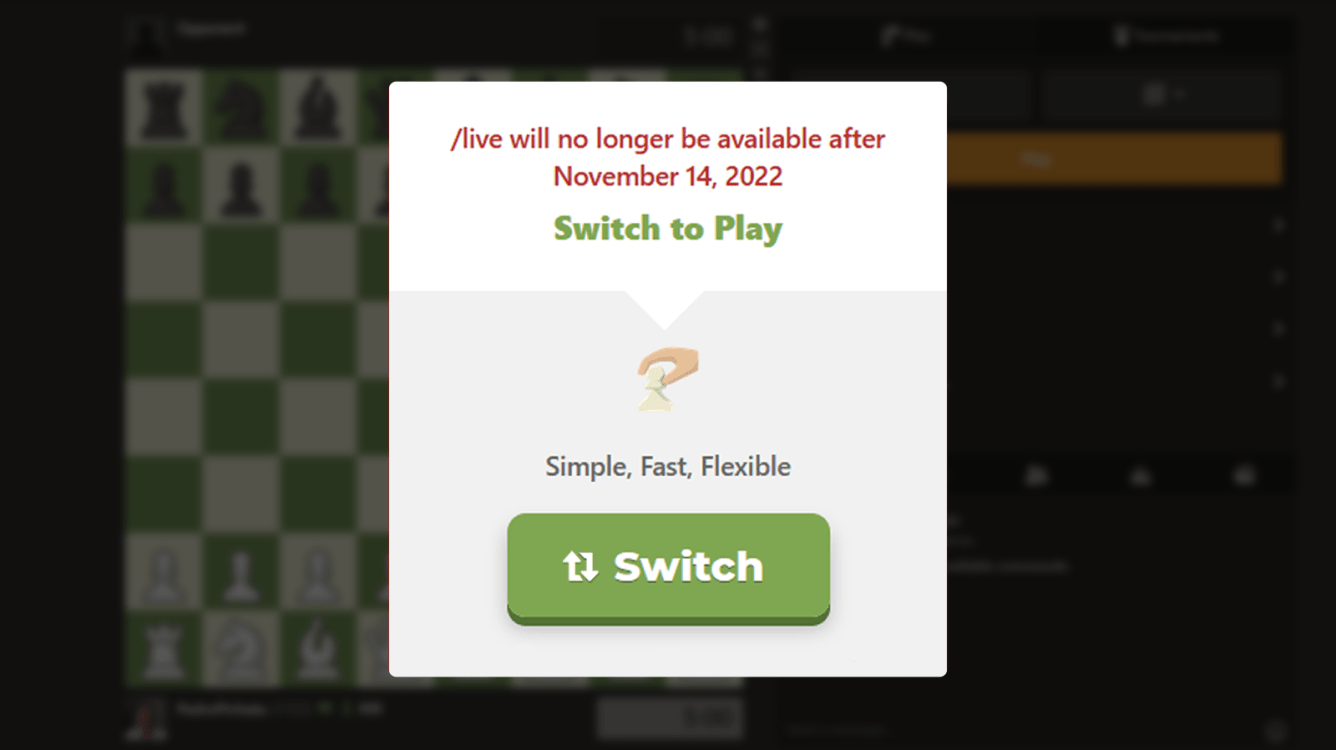
Please do not get rid of /live UI

Sort:
Avatar of EvidentRoad

Everything about play is bad compared to Live. Dont do this guys

Avatar of Chuck639
rhymeswithgod wrote:
Chuck639 wrote:

Where is theatre mode?


There are a few buttons that appear near the top right of the chessboard; you can activate theater mode by clicking on this one that looks like a rectangle:


Thank-you.

I’m on my iPhone Pro Max via the mobile browser or app. I find the app more than enough visually.

I’ll check it out on my lap top.

Avatar of rhymeswithgod
Orion_Blacktail wrote:

To get a larger board in Play; use Theatre Mode.  
Where is the Mode choice made located?  How do I find it?


You can turn on theater mode by clicking on this rectangle button near the top-right of the board. (The control for Focus Mode is also near there.)


Theater Mode moves the user information and clocks to the side of the board, and makes the board itself bigger.

Focus Mode also gets rid of the large control panel (the right-hand sidebar), removing as much UI clutter as possible that you don't need while playing a game.

Avatar of BigSplat2018
zachertz wrote:

The thing about play is it has all the features hidden away and require an effort to find

Would it kill them to publish an article, with clear instructions on how to find functionalities? 

Avatar of Richard
BigSplat2018 wrote:
zachertz wrote:

The thing about play is it has all the features hidden away and require an effort to find

Would it kill them to publish an article, with clear instructions on how to find functionalities? 

@BigSplat2018 there is indeed an article on this Here
I hope it helps, if there are any questions outstanding though feel free to reach out, we are more than happy to assist

Have a great day ahead!

Avatar of the_jur

I haven't used switch before because it was laggy. Sticky pieces and the eval bar at the end of the game is really annoying. Now I've been playing some games today, already -100 rating cause of the lag. I have to premove every move! And what is this waiting time when i join? Pls activate live again.

Avatar of ninjaswat
Richard wrote:
BigSplat2018 wrote:
zachertz wrote:

The thing about play is it has all the features hidden away and require an effort to find

Would it kill them to publish an article, with clear instructions on how to find functionalities? 

@BigSplat2018 there is indeed an article on this Here
I hope it helps, if there are any questions outstanding though feel free to reach out, we are more than happy to assist

Have a great day ahead!

I’m getting an error when I go to this page, is it due to being on mobile or something else?

Avatar of justbefair
ninjaswat wrote:
Richard wrote:
BigSplat2018 wrote:
zachertz wrote:

The thing about play is it has all the features hidden away and require an effort to find

Would it kill them to publish an article, with clear instructions on how to find functionalities? 

@BigSplat2018 there is indeed an article on this Here
I hope it helps, if there are any questions outstanding though feel free to reach out, we are more than happy to assist

Have a great day ahead!

I’m getting an error when I go to this page, is it due to being on mobile or something else?

https://www.chess.com/article/view/chesscom-live-going-away

Avatar of justbefair
29061.afe7ab8e.668x375o.449e5ceff85e@2x.png

Chess.com/Live is Going Away, Here's How To Do Everything On /Play

CHESScom
CHESScom
 
Unfollow
|6|Other

The day is finally here when we will discontinue our play server at Chess.com/live for good. After November 14, our Live page is going offline and will be fully replaced by Chess.com/play. Although we're sure many of our members have sweet memories of our old page, it's time to move on to bigger and better things—it is now Chess.com/play's turn to shine! Our Play page packs a faster board, improved and modernized codebase, and a smoother overall playing experience.

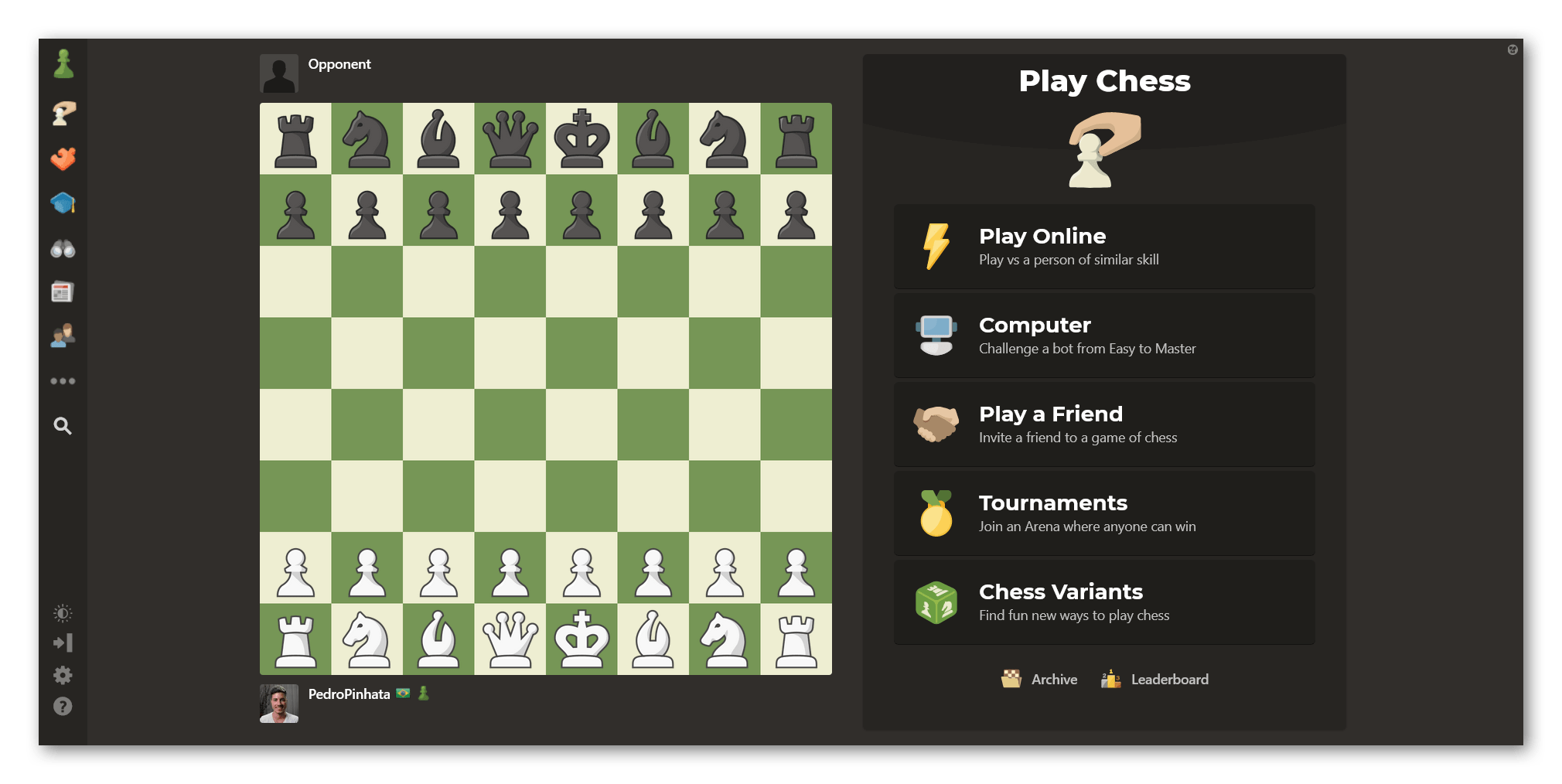
Play page on Chess.com

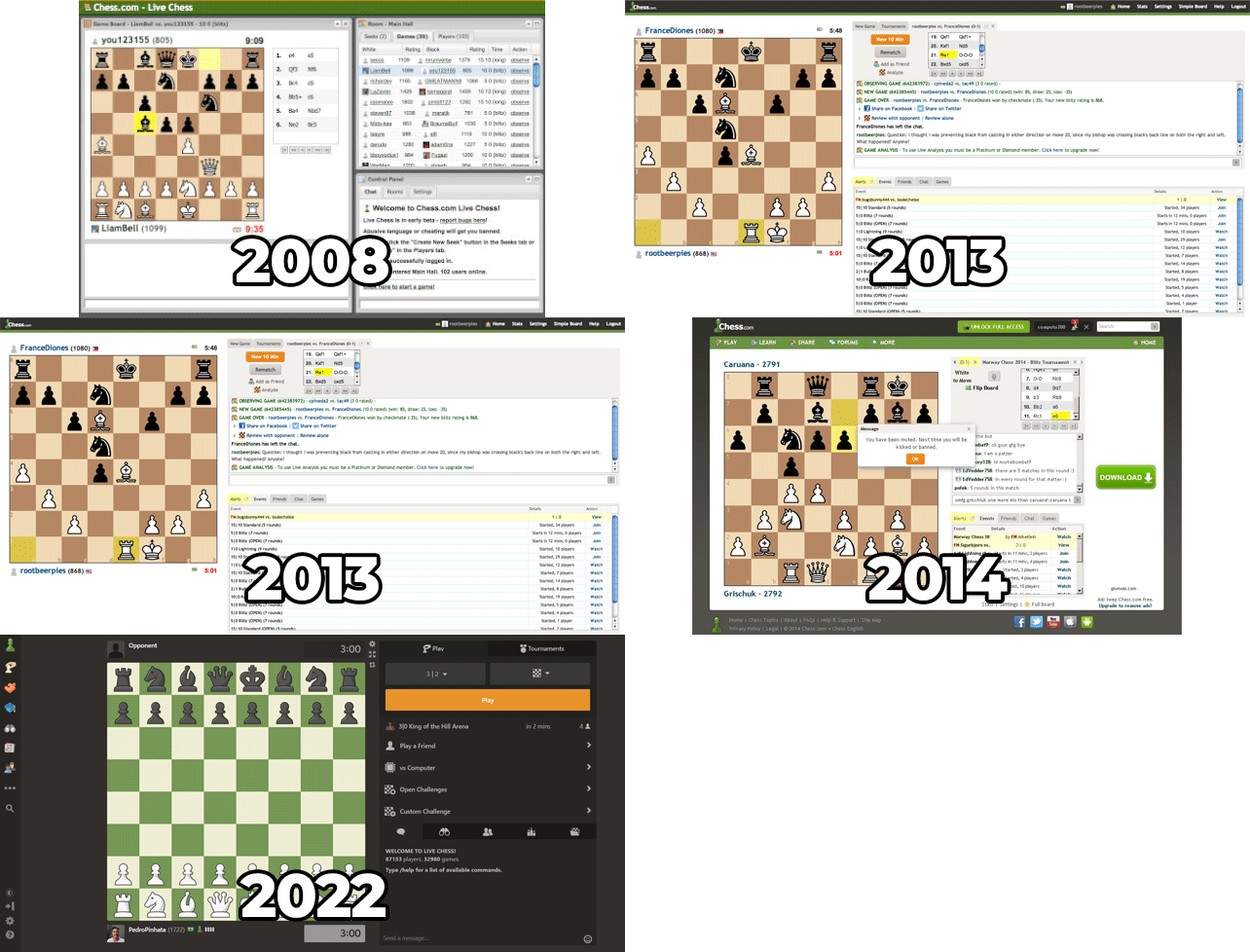
Since launching Live years ago, we've always been striving to improve our playing server. Be it with aesthetic tweaks, interface transformations to make things more intuitive, or engineering changes to make the board smoother and faster. 

Old Live chess on Chess.com

What makes Play that much better than Live? Aside from being faster and more reliable, Play is focused only on play features such as playing friends, tournaments, and bots. Our old live server also integrated features for watching elite OTB games, shared analysis, and more. By separating our play features from others, we can make improvements more rapidly and develop new features. 

But what about all the things you love doing on Live, like analyzing games live with other members, watching elite players compete, and everything else? They're still here and ready for you to use, just in different places.

Here's a guide to help you navigate these features:


Play Games

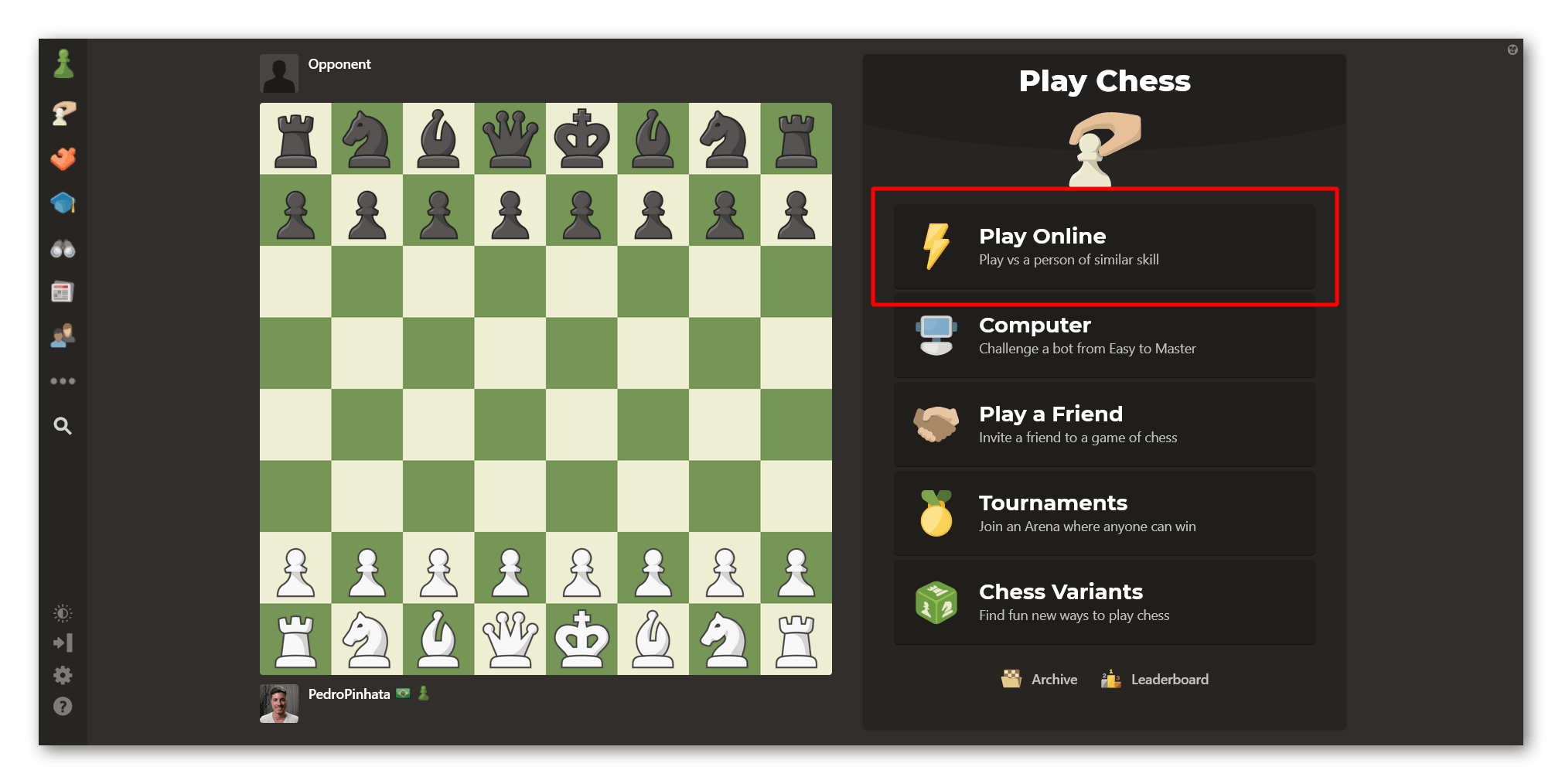
Most members visiting the Play page want to play games. As always, this is very easy to do: You just have to select the "Online" option to go to our Play Online page and choose the type of game you'd like on the menu to the right of your screen.

Play Online using the Play Page on Chess.com

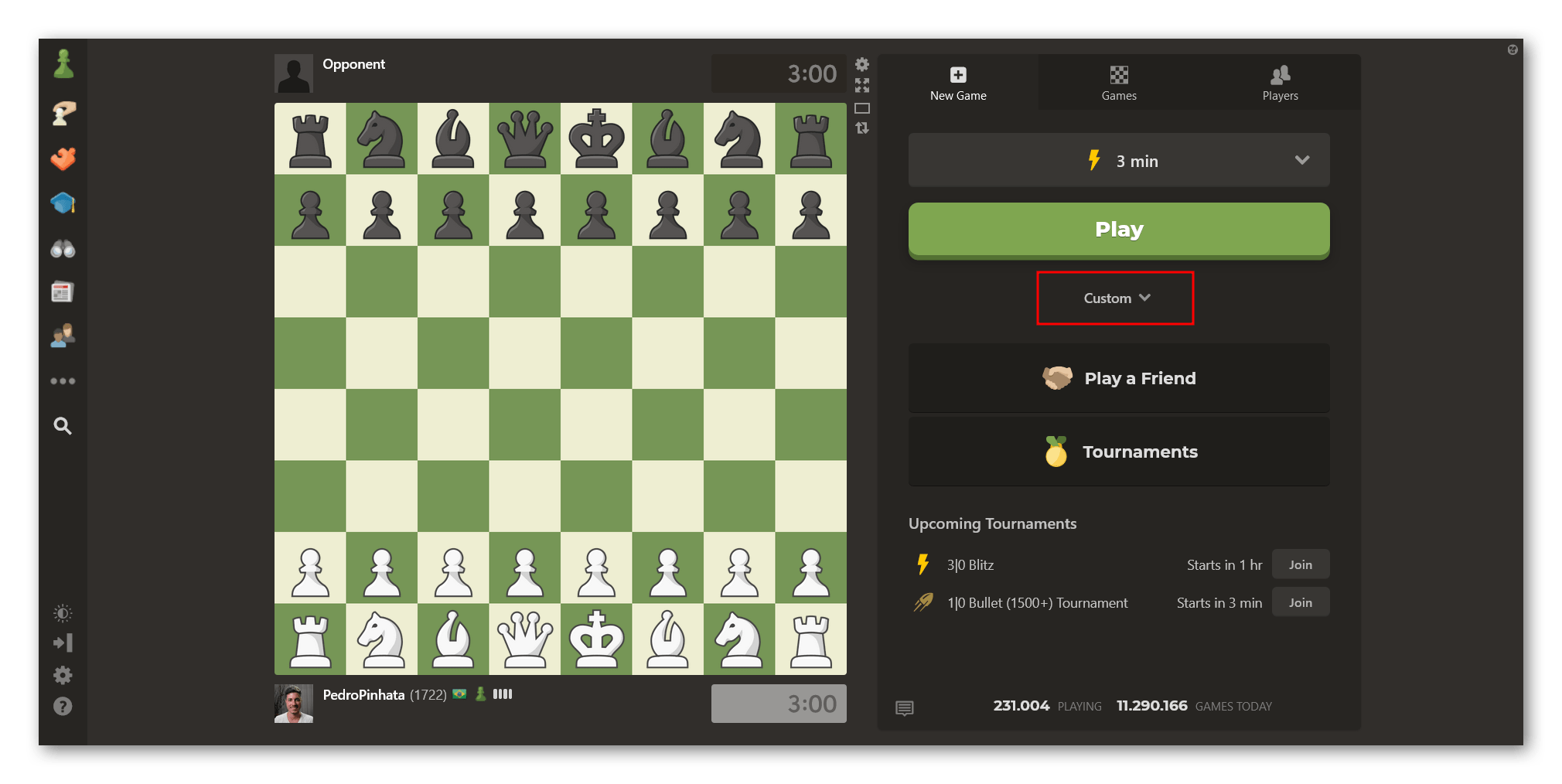
You can also start a game with custom parameters by clicking the "Custom" option. From there, you can select different variants, play unrated games, choose your opponent, and more.

Play a custom game on Chess.com's Play page

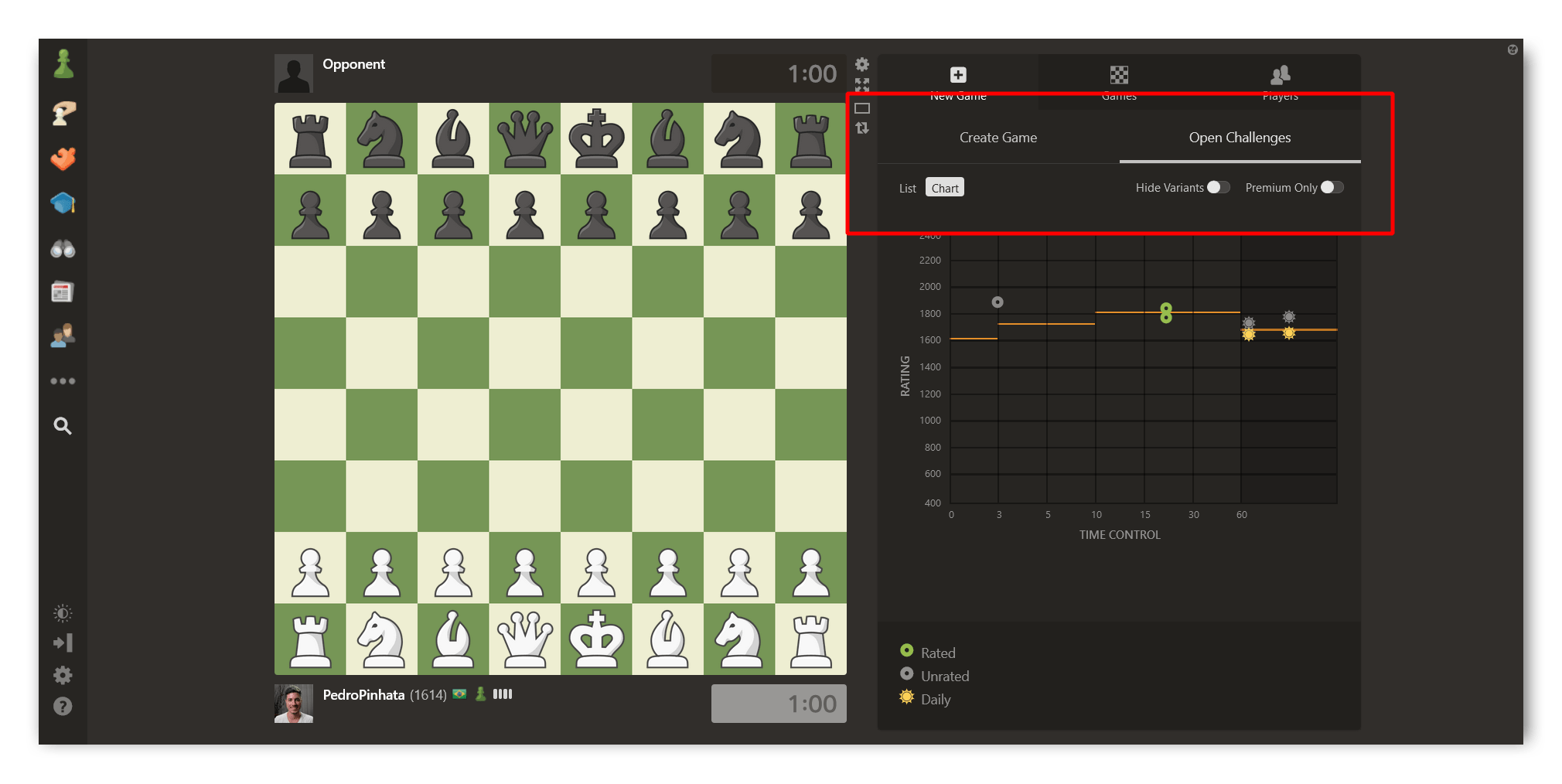
After clicking the "Custom" option, you'll also be able to find all the open game challenges by clicking the "Open Challenges" tab and choosing the "List" or "Chart" view.

Check all the open seeks

Join Tournaments

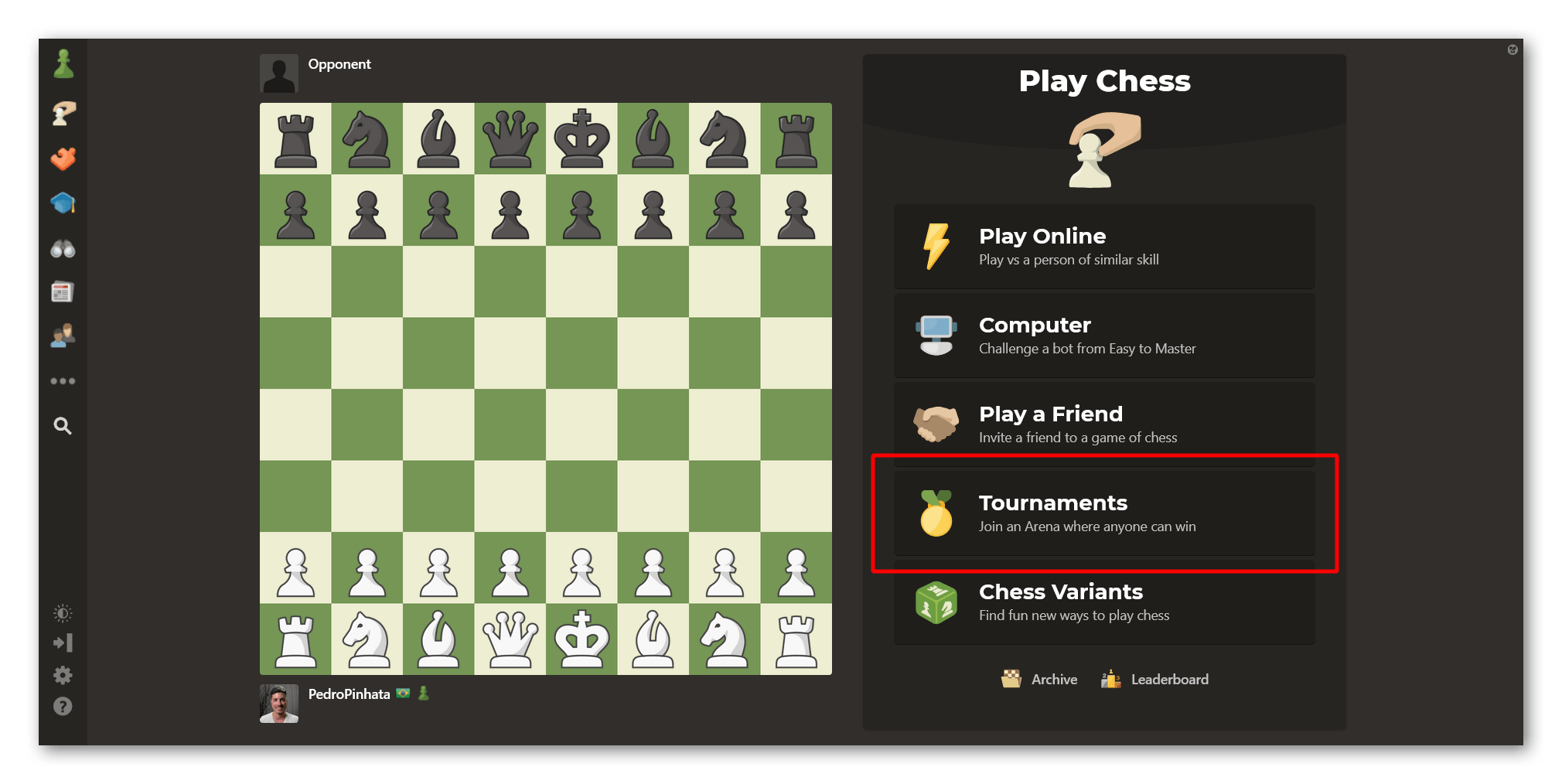
You can still join or watch tournaments on Chess.com just as easily as before. When you land on Play, you'll see a big "Tournaments" button on the menu to the right. Clicking that button will take you to the Tournaments page, where you can see and join all upcoming tournaments.

Find our Tournaments page easily on Play

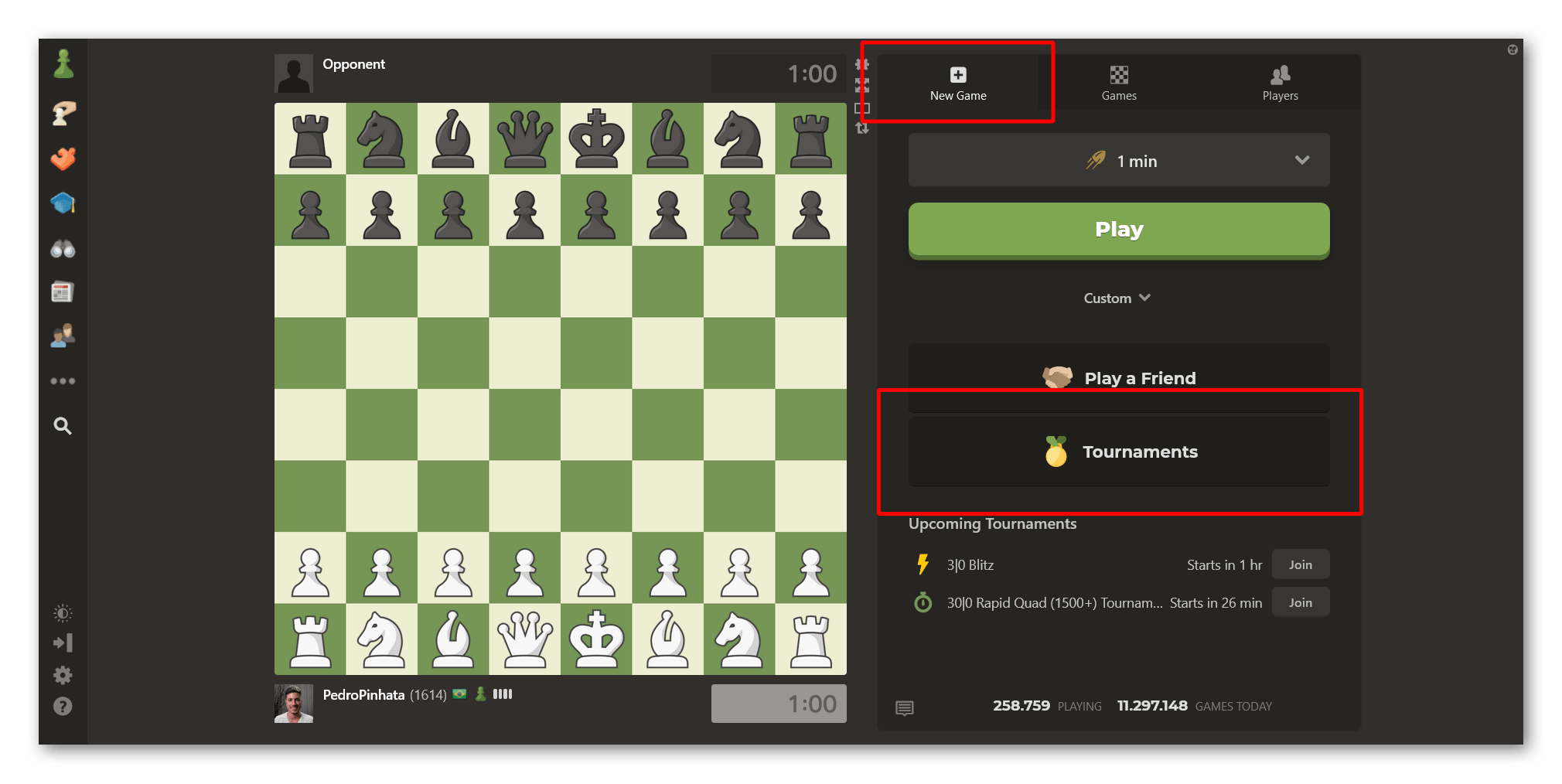
If you're already on our Play Online page, you'll also see a "Tournaments" button inside the "New Game" tab. Note that if you're already on another tab inside the Play Online page, you'll have to go back to the "New Game" tab to see the "Tournaments" button.

Play online Tournaments button

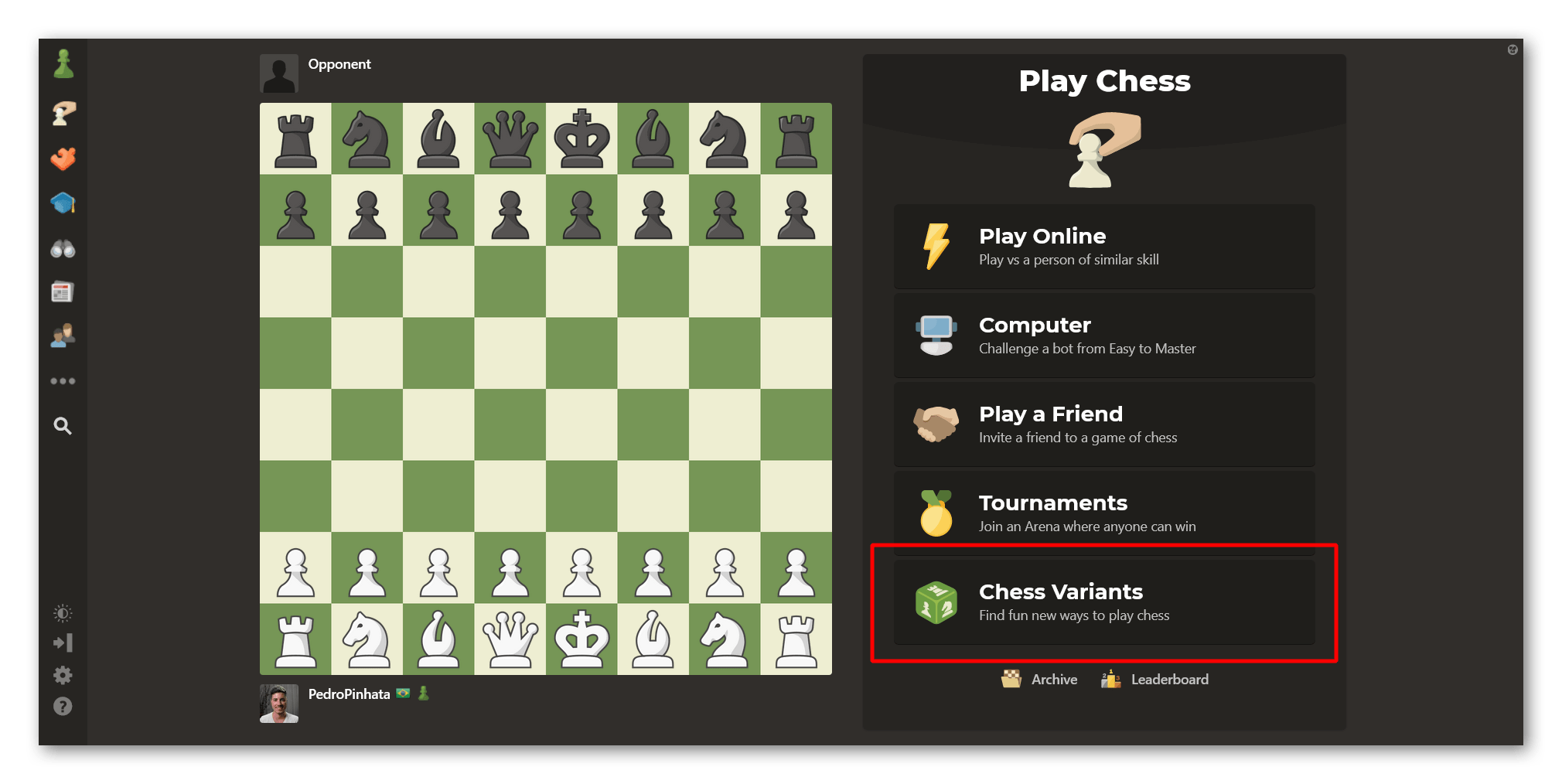
Play Chess Variants

What if you want to play something a little different like Duck Chess? You can still have fun with numerous chess variants by clicking the "Variants" button.

Play chess variants

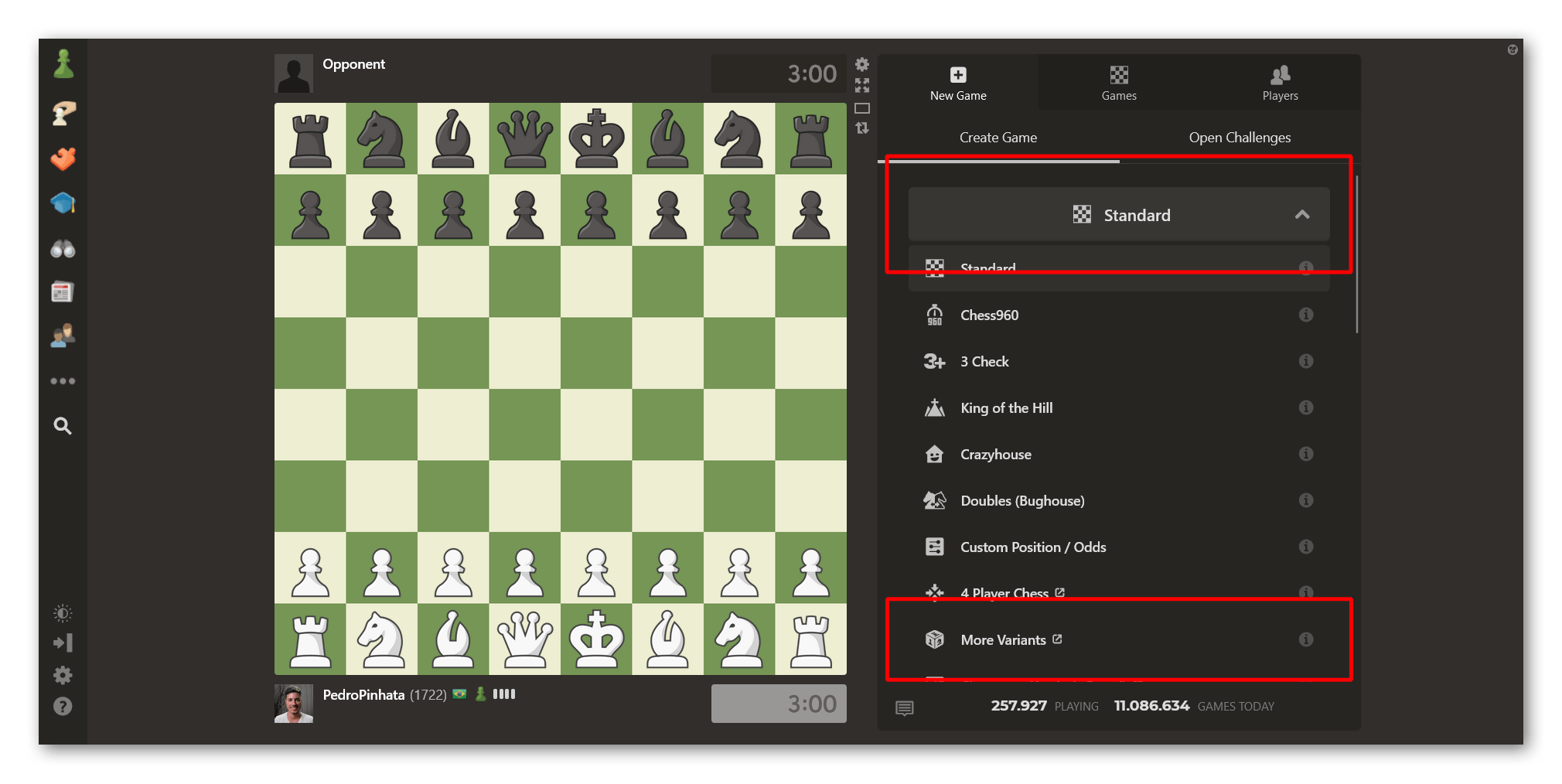
You can also find the "Variants" option right on our Play Online page by clicking "Custom" and selecting the "More Variants" option from the dropdown menu. 

Go to our Variants page right from the Play Online page

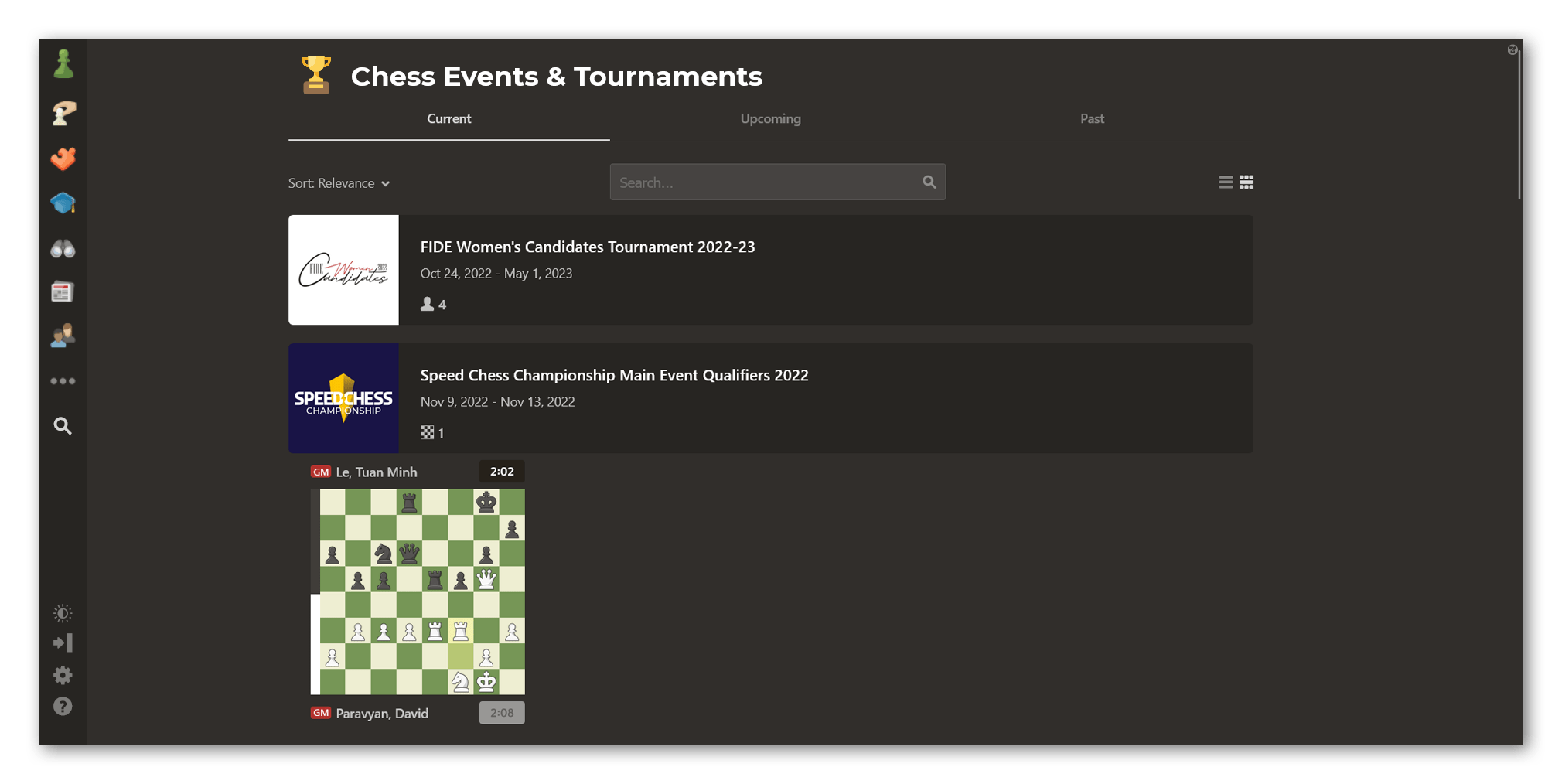
Watch Live Games Of Events

If you want to watch live games of an event, we have a dedicated page just for that. On Chess.com/events, you can find everything you need to enjoy your favorite chess events: live games, results, official broadcasts, and every other information you might need.

Watch live games on our Events page

Analyze Games With Game Review

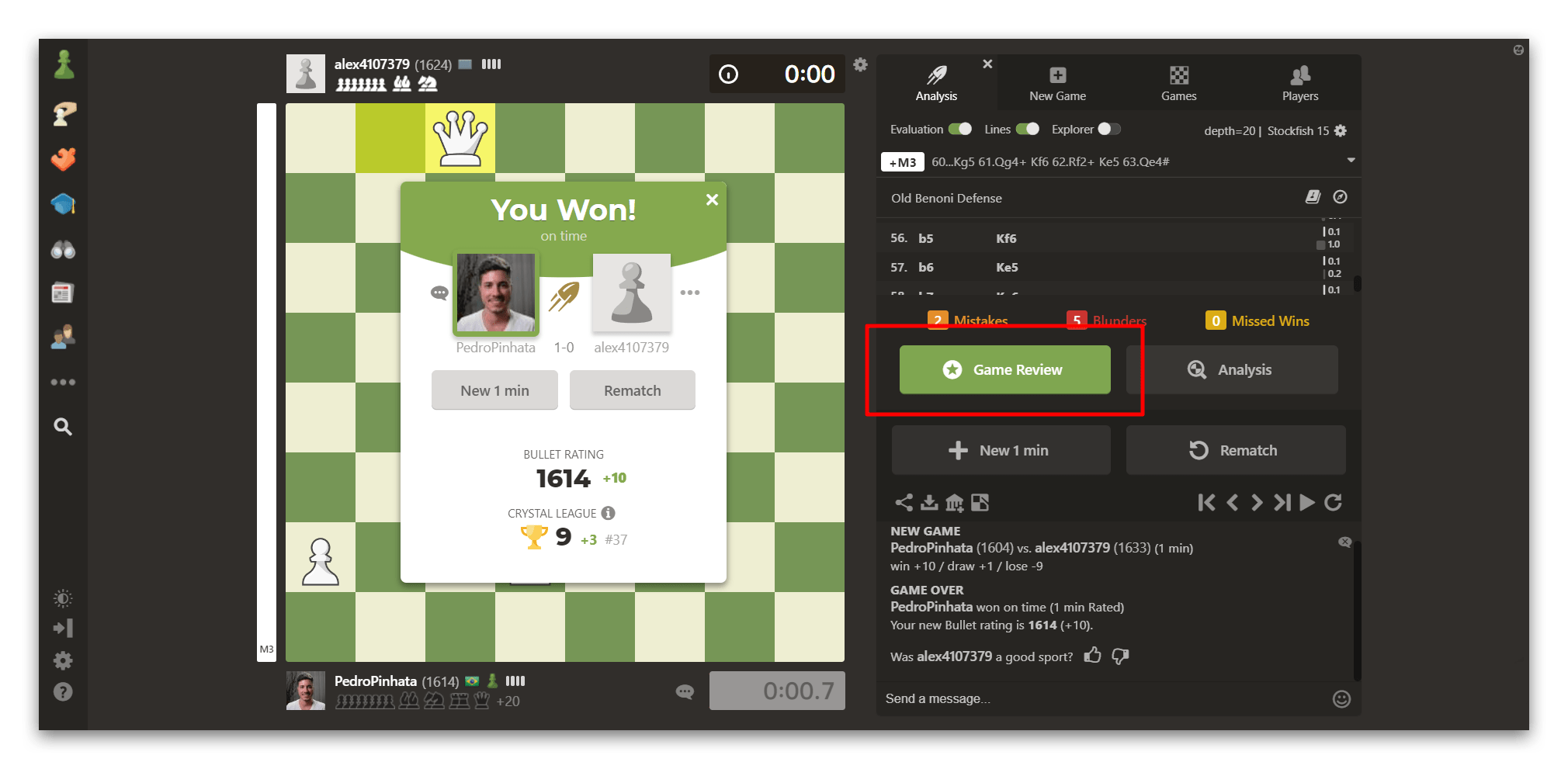
Analyzing your games is always a good idea! Doing so with our Game Review feature is easy when you're on our Play page. After the game is over, a big green "Game Review" button will pop up. Click it to analyze your game instantly!

Use Game Review from our Play page

Analyze Games Live With Other Members Or By Yourself

Have you just played a game with a friend and would like to analyze it with them? Although there's no more "Live Analysis" like you'd find on our old Live page, you can still do the same thing (and more!) using our Classroom. Check out the video below to learn more about this feature:

Watch Top Players And Friends

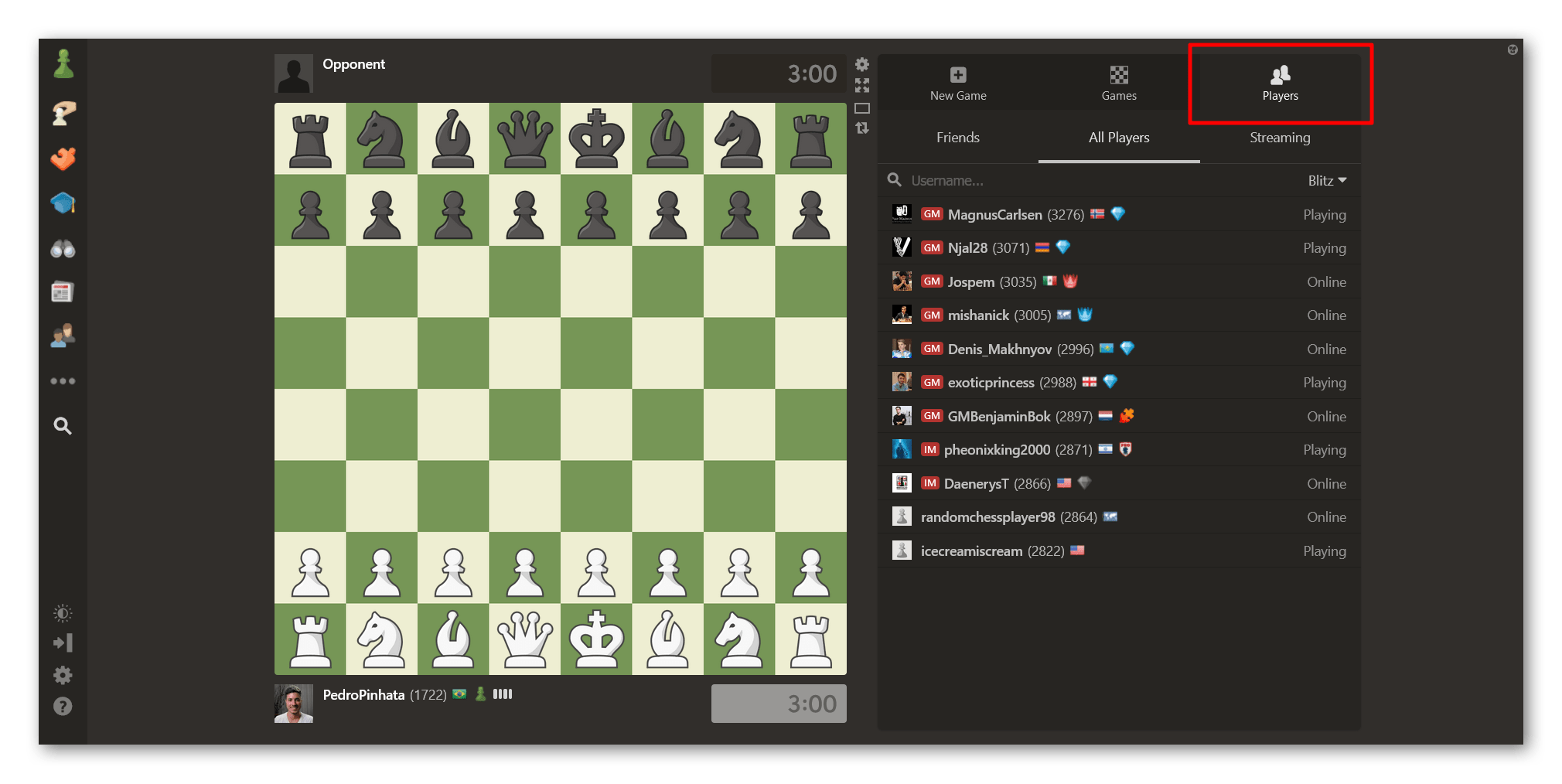
You can still watch your friends and top players as they're playing games. You can do that by going to our Play Online page and navigating to the "Players" tab. You can then select the player you want to watch using any of the three available lists: "Friends," "All Players," and "Streaming."

Watch other players on Chess.com

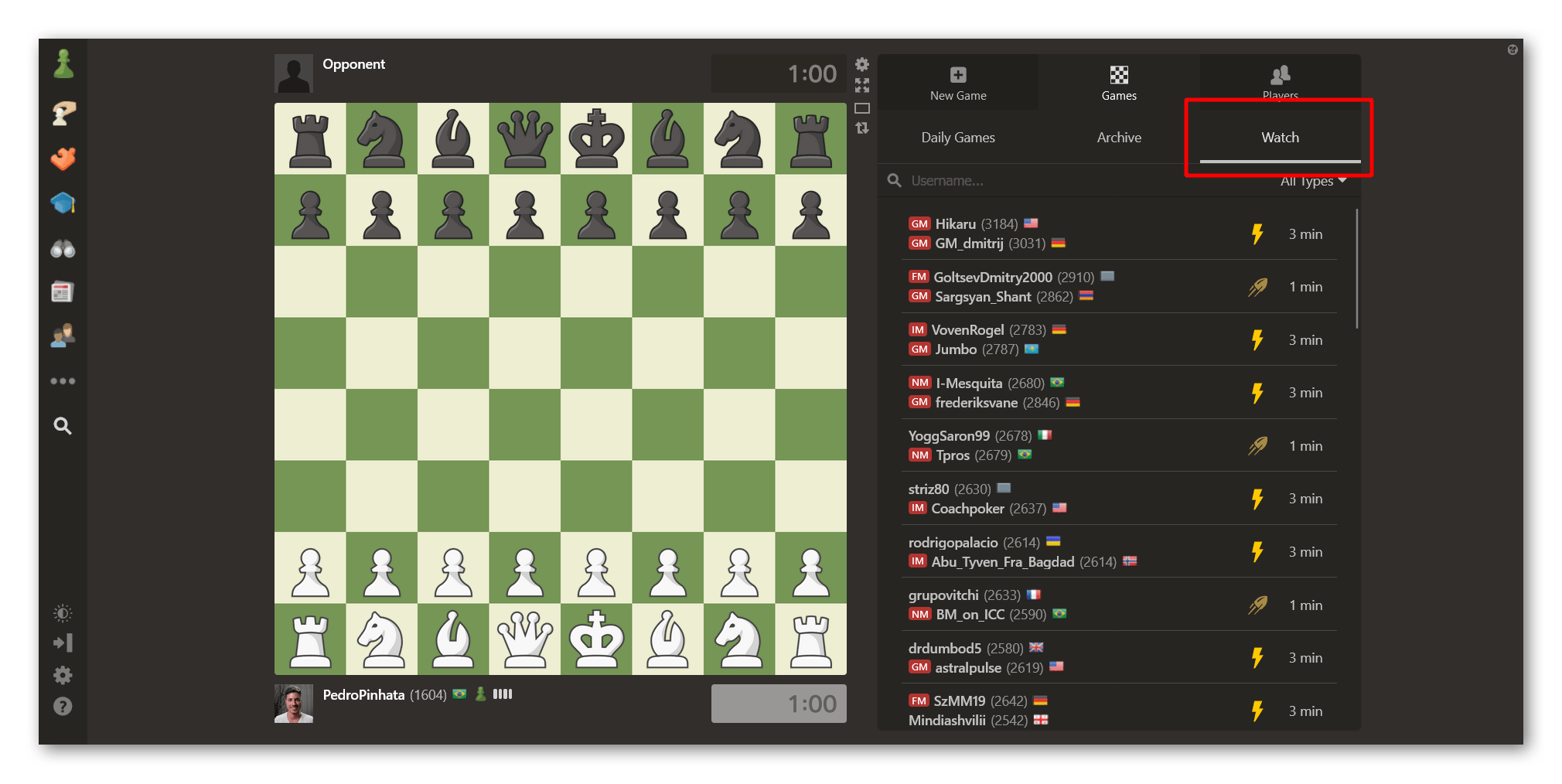
Finding games by top players is also simple. Go to the "Games" tab on our Play Online page and select the "Watch" option. You'll see a list of players' games sorted by rating. You can click any game from that list to watch it live.

Watch top players playing on Chess.com

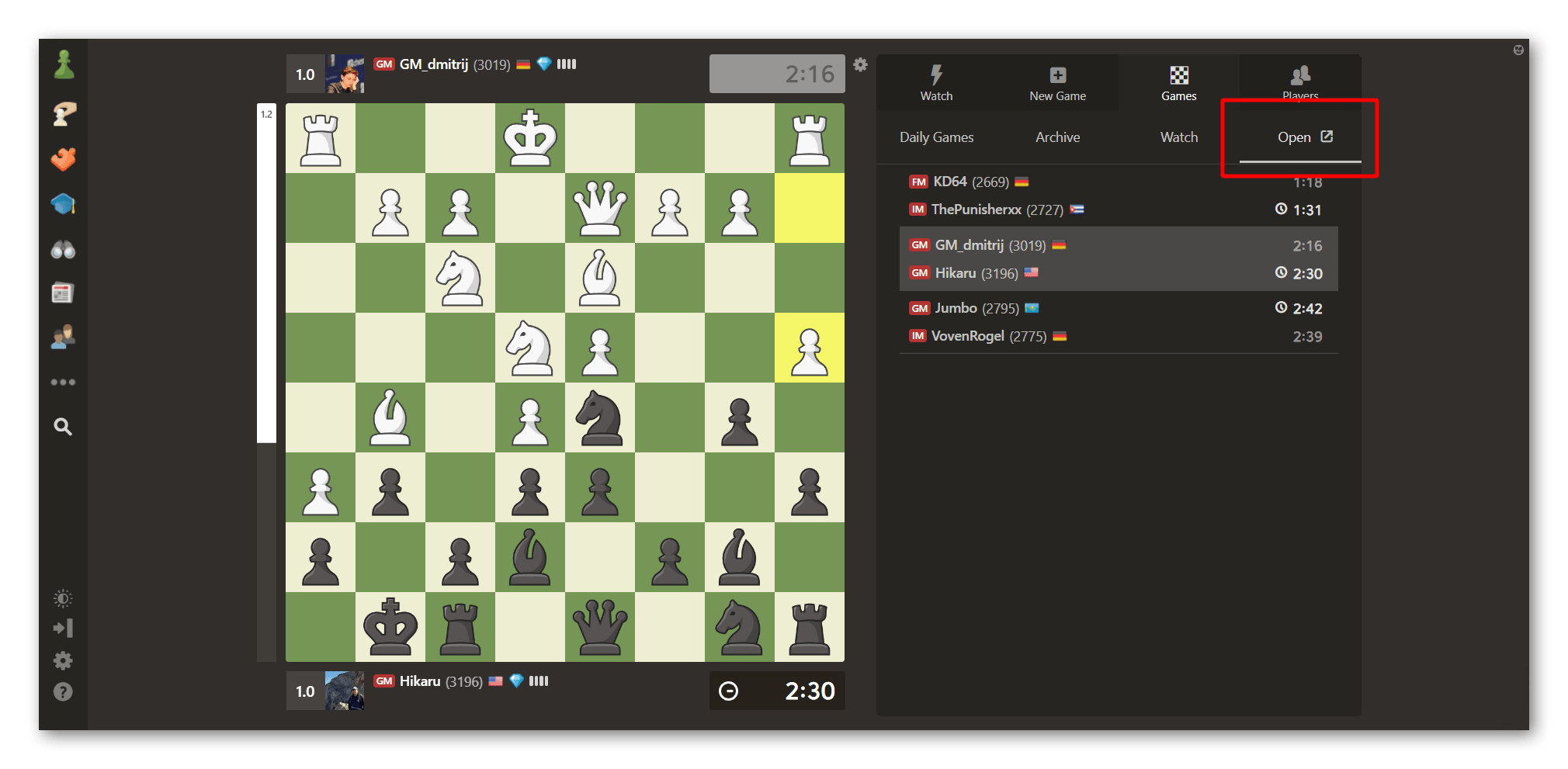
You can even watch more than one game simultaneously. Clicking multiple games will open them so you can keep track of as many games as you'd like. You can then navigate through them by going to the "Games" tab and selecting the "Open" option.

Watch multiple games on our Play page

We Want To Hear Your Thoughts

While we understand the new interface might need some getting used to, the new Play page is a major improvement and will continue to pay dividends in terms of quality of play and stability. 

Let us know in the comments below how you feel about our Play page!

Avatar of BigSplat2018

Yeah, imagine the confidence I feel, when the link to an explanation of the features in Play is a broken link (due to a typo). And that article is far from comprehensive!

Okay, here's one that's not addressed in that article: I just joined a Bughouse Swiss. In Live, prior to the beginning of a Bughouse tournament (or during the event), you could invite a player to be your partner. Simply click on their username, and a dialog box would open up; you could choose "Partner". (Later, you could click on their name and choose "Unpartner"—say,when the tournament is over and you want to go to work or something.)
Where is that functionality in the Play interface?

Also, sometimes I like to join an Arena tournament, though there might be only a few minutes left. I can't see how to do that in Play. (For some tourneys which are in progress, I have to click on "New Game — Tournaments — Observe — (Click on Event) — Join".
Not only is this a lot of clicks (way more than in Live), but it's counterintuitive. To join a tourney, you click on "New Game"? And then you must click on "Observe"? Where's the logic in that???
This is an "upgrade" that's over a year in the works. What kind of beta testing did it go through?

Avatar of CitadelTrill

The lives animation feels like it wasn't just aesthetics somehow it makes everything easier to see. Also alot of misclicks on play

Avatar of Bheeshmaparva
CitadelTrill wrote:

The lives animation feels like it wasn't just aesthetics somehow it makes everything easier to see. Also alot of misclicks on play

What exactly you mean by misclicks? Can you explain little more about the issue ?

Avatar of Martin_Stahl
BigSplat2018 wrote:

...

Also, sometimes I like to join an Arena tournament, though there might be only a few minutes left. I can't see how to do that in Play. (For some tourneys which are in progress, I have to click on "New Game — Tournaments — Observe — (Click on Event) — Join".
Not only is this a lot of clicks (way more than in Live), but it's counterintuitive. To join a tourney, you click on "New Game"? And then you must click on "Observe"? Where's the logic in that???
This is an "upgrade" that's over a year in the works. What kind of beta testing did it go through?


Play has been the default interface for a couple of years. It was the first in the menu and the vast majority of members were using it.


As to accessing ongoing tournaments, you don't have to click New Game. Play > Tournaments > Observe if what you're looking for isn't on Current,

Avatar of KIMIAnswer

tournaments should be in arcade  order like it was and chat under the arena like it was   takes to long to get to the  tournament like this,the viewer club  tournaments disappear after like 20 minutes  so you cant late join  pieces don't move as smoothly as they did in live this is  closer to lichess the way they move.  why did you do that couldn't you just updated if the code  was giving you  trouble.Its no good like this its like lichess now and that site wasn't even close to you

Avatar of BigSplat2018
Martin_Stahl wrote:
BigSplat2018 wrote:

...

Also, sometimes I like to join an Arena tournament, though there might be only a few minutes left. I can't see how to do that in Play. (For some tourneys which are in progress, I have to click on "New Game — Tournaments — Observe — (Click on Event) — Join".
Not only is this a lot of clicks (way more than in Live), but it's counterintuitive. To join a tourney, you click on "New Game"? And then you must click on "Observe"? Where's the logic in that???
This is an "upgrade" that's over a year in the works. What kind of beta testing did it go through?


Play has been the default interface for a couple of years. It was the first in the menu and the vast majority of members were using it.


As to accessing ongoing tournaments, you don't have to clink New Game. Play > Tournaments > Observe if what you're looking for isn't on Current,

I don't really care that Play has been the default interface. Bughouse players hate it.
After two years of this default interface, is there a way to choose a partner for a Bughouse tournament? If so, how does one access that carefully hidden feature?
You're going to lose a bunch of Bughouse players if you don't fix this functionality (and the muting snafu for chatting in Bughouse, SMH).
I get that Bughouse is a niche product in the pantheon, but chesscom is hosting the Bughouse World Championship! That must mean it has some value to someone.
I note that you don't address my critique re. the number of clicks required to get to a tourney in progress, and the non-intuitive nature of the interface. Way to ugly-up the user experience!

Avatar of Martin_Stahl

I liked the tournament list right in the interface but don't feel that it's really that much worse to find them by clicking the tournament button.  


I don't have any more influence in design than any other member. As with any site changes, there are some things I like, some that I don't, but nothing so far that's so bad that I can't accept how it works. If it gets to that, I'll open a suggestion ticket.


With Bughouse, I've never played it on site, so don't know the ins and outs.

Avatar of Martin_Stahl

I don't know how Partnering in the old interface worked but looks pretty easy to set up a new challenge and choose a partner.

Avatar of EvidentRoad

It is bad for everything in Bughouse. Couple that with the chat bug and it is almost impossible to play.

Avatar of Phqbophobia

why can't you just remove it from the side bar, but keep chess.com/live

Avatar of Phqbophobia

chess.com did that a little while ago