How do I change the time control of the quick play button in the app?

Sort:
Avatar of BulletHole13

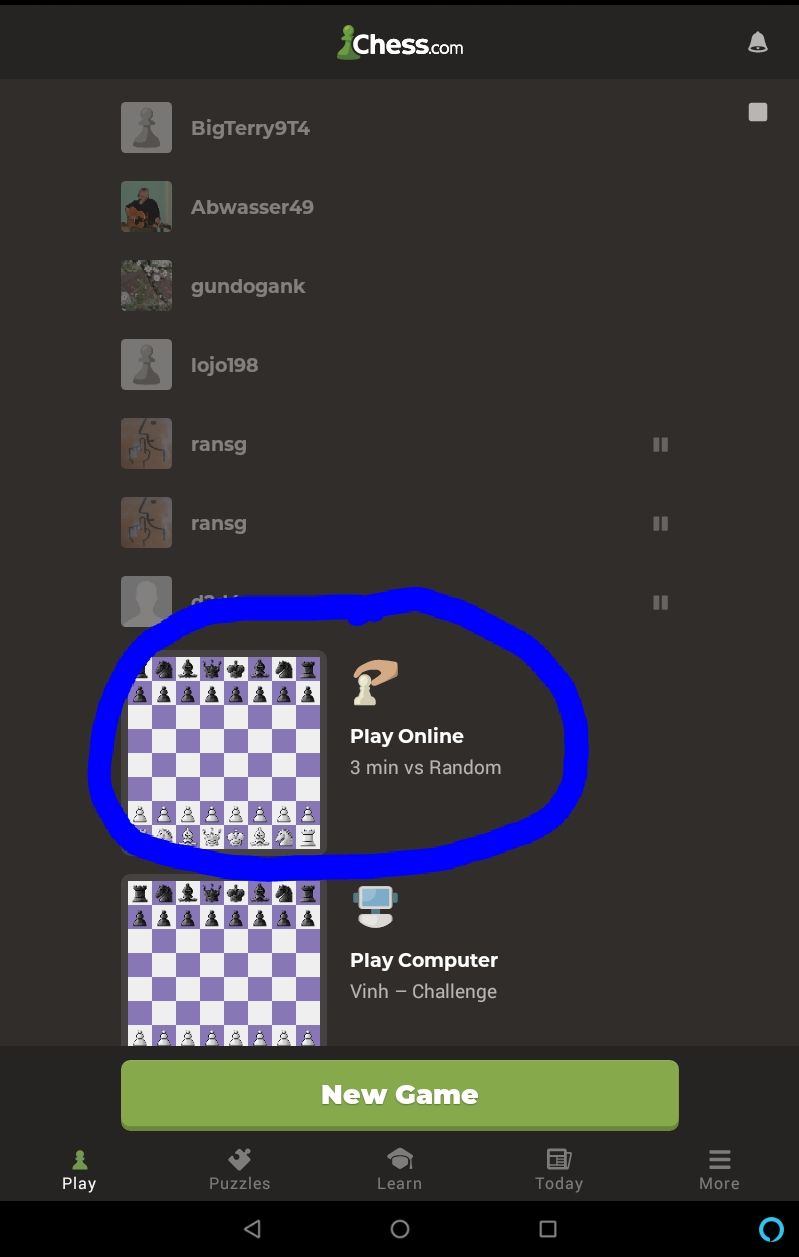
In the app, I can choose my settings if I click "new game". But on the "play" tab, there's this big quick play button (called "play online") that instantly starts a search for opponents. I'd like to change the time control for that "play online" button. Can anyone tell me how to do that?

Avatar of Martin_Stahl
BulletHole13 wrote:

In the app, I can choose my settings if I click "new game". But on the "play" tab, there's this big quick play button (called "play online") that instantly starts a search for opponents. I'd like to change the time control for that "play online" button. Can anyone tell me how to do that?


Pretty sure that uses your last Custom Game parameters. There's not a setting for it.

Avatar of BulletHole13
Martin_Stahl wrote:

Pretty sure that uses your last Custom Game parameters. There's not a setting for it.

That doesn't seem to be it. I just played a "Custom Game" with different parameters. That didn't change anything.

Avatar of Chan_Fry

No , it won't change. Mine seems set to 3+0 no matter what I played last time.

Avatar of Martin_Stahl

I just tested on Android. My quick play button was 10|0. I created a Custom 3|2 game and now the quick play button is 3|2

Avatar of Chan_Fry
Martin_Stahl wrote:

I just tested on Android. My quick play button was 10|0. I created a Custom 3|2 game and now the quick play button is 3|2

I've tried several times, but still get 3+0 , whether I like it or not. :-(

(I do have the latest version of the app, but maybe it's because my tablet is a few years old?)


(Edit: out of curiosity, I checked on my phone, which is much older. It's set to 2+1, and won't change, even after I select 10+0 in the custom game chooser.)

Avatar of Chan_Fry

To be clear, I'm talking about this button:

Avatar of BulletHole13

I changed the button by removing the app and reinstalling it.

Avatar of Martin_Stahl
Chan_Fry wrote:

To be clear, I'm talking about this button:


That's what I'm talking about as well. What version is your app?

Avatar of Chan_Fry
BulletHole13 wrote:

I changed the button by removing the app and reinstalling it.

I'll try that. Thanks.


Edit: it worked! Yay!

Avatar of Chan_Fry
Martin_Stahl wrote:
Chan_Fry wrote:

To be clear, I'm talking about this button:


That's what I'm talking about as well. What version is your app?

In settings, it says v4.3.7. I'm going to try emptying the data/cache, uninstalling, and reinstalling.


Edit : reinstalling seems to have worked. Now the button says 10 minutes (which is what I prefer).